If you wanted to learn some basic machine learning, or you just wanted to find a fancy new way to write the isEven() function, you’ve come to the right place! In this article, I will show you how to leverage on “big data”, “A.I.” and “machine learning” to write your own isEven() function. (LOL)
Introduction
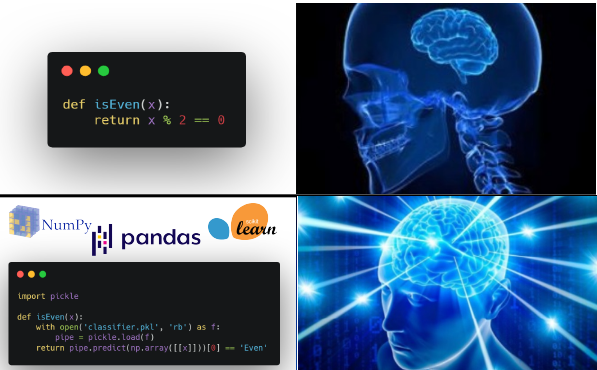
In this article, you will learn how to code and build a simple machine learning pipeline using scikit-learn libraries in Python. For those that are familiar with machine learning, this article provides a fun (but dumb) way to write the famous isEven() function.
Prerequisite
- Installed either Anaconda (recommended) or Miniconda
- Having basic Python or coding knowledge in general. (OPTIONAL)
Problem Statement
We want to write a function, isEven() that can tell whether a given number is an even number, or an odd number. The function will return True, if an even number is provided, else, it will return False.
In this article, we will tackle this problem by utilizing the power of machine learning and data. We will build a machine learning model that classifies a number as either even or odd. This is known as a classifier, a machine learning model that performs classification.
Disclaimer
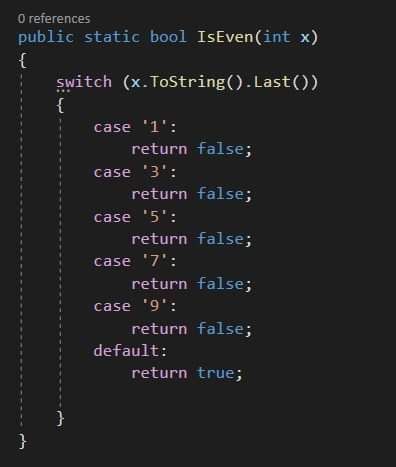
While there are many ways to tackle this problem, essentially there are many better ways to do this than what this article will teach you. In fact, in reality you wouldn’t want to use machine learning to tackle a simple and well-defined problem like this. This tutorial will serve as your springboard to dive into solving more complex problems with machine learning in the future.
Some concepts and terminologies
Traditional Programming vs Machine Learning
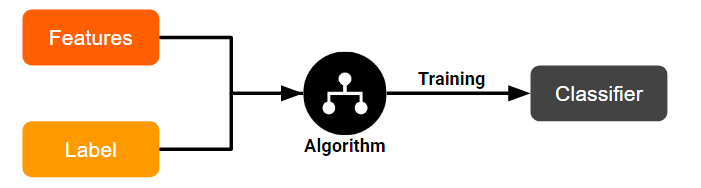
Unlike traditional programming, instead of coding the program to classify it for us, we train an algorithm on the data and expected output, and the algorithm gives us the program.
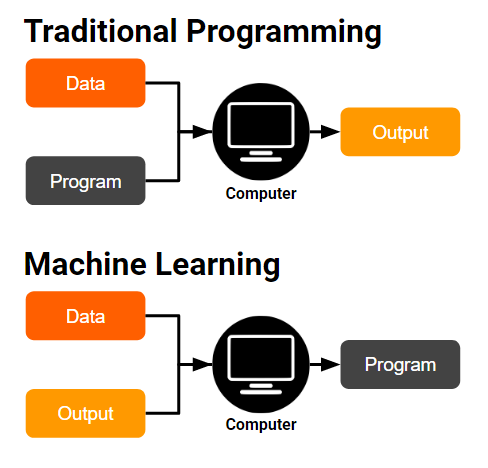
In the context of machine learning, these terms have this meaning:
- Features: The input data
- Label: The expected output
- Model: The program generated
- Training: Makes the model learn to predict the label from the features.
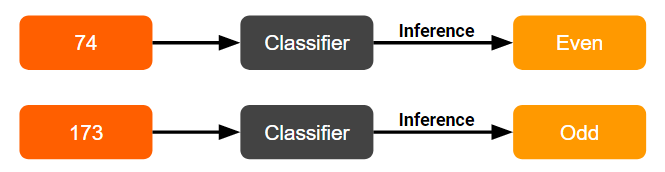
- Inference: Use a learned model to predict unseen data.

Our Solution
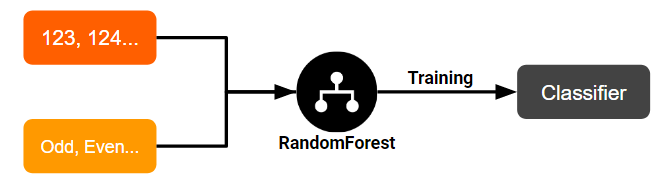
We will build a classifier to classify whether a number is even or odd. In our case:
- Training: We will use a
RandomForestClassifieralgorithm, feeding it with our features (integer), and their corresponding label (even or odd).
- Inference: We will use the trained classifier to predict a number as either odd or even!
Coding time!
4. Import libraries
import numpy as np
import pandas as pd
from sklearn.ensemble import RandomForestClassifier
from sklearn.model_selection import train_test_split
from sklearn.metrics import accuracy_score
from sklearn.pipeline import Pipeline
from sklearn.base import TransformerMixin
from sklearn.feature_selection import SelectFdr, chi2
from IPython import display
from sklearn.externals.six import StringIO
from IPython.display import Image
from sklearn.tree import export_graphviz
import pydotplus
import os
import warnings

os.environ['PATH'] = os.environ['PATH']+';'+os.environ['CONDA_PREFIX']+r"\Library\bin\graphviz"
warnings.filterwarnings("ignore")
5. Getting the dataset
df = pd.DataFrame(
    data={
        'number': range(100),
        "label": ["Even", "Odd"] * 50
    }
)
df
The generated data frame has 100 rows with numbers 0–99 and alternating Even/Odd labels.
6. Getting X and y
# Create X
X = df.drop(['label'], axis=1)
X.head()
# Create y
y = df['label']
y.head()
0    Even
1     Odd
2    Even
3     Odd
4    Even
Name: label, dtype: object
7. Splitting the data
We will take 70% of the data as the training set, and 30% as the test set.
“Why do we need to split the data?”
We need to use the test set to test whether overfitting has taken place in our model. A model that overfits is unable to generalize well with new data — similar to a student who memorizes answers instead of understanding the material.
X_train, X_test, y_train, y_test = train_test_split(X, y, test_size=0.30, random_state=77)
8. Training Attempt #1 - RandomForestClassifier
classifier = RandomForestClassifier(n_estimators=3, random_state=7)
classifier.fit(X_train, y_train)
y_pred = classifier.predict(X_test)
accuracy_score(y_test, y_pred)
0.23333333333333334
Our classifier managed to score an accuracy of only 23%! This is worse than randomly guessing, which will result in 50% accuracy on average!
9. Training Attempt #2 - RandomForestClassifier + Feature Engineering
“What is feature engineering?”
Feature engineering is one of the most important steps when building a machine learning model. It refers to the process of modifying or transforming the data with the goal of improving a machine learning model.
In our case, knowing some basic binary maths, we know that all decimal integers can be represented as binary numbers:
 0 => 0000000
 8 => 0000111
99 => 1100011
For decimal numbers from 0 to 99, we can represent them with 7 digits in the binary system. Each of these 7 digits can be seen as a new feature! I have written a scikit-learn transformer, BinaryEncoder, to transform our data automatically:
class BinaryEncoder(TransformerMixin):
    def __init__(self, n=8):
        self.n = n

    def fit(self, X, y=None):
        max_len = self.n
        if isinstance(X, pd.DataFrame):
            X = X.values
        for row in X:
            binary = format(row[0], '0'+str(self.n)+'b')
            if len(binary) > max_len:
                max_len = len(binary)
        if self.n < max_len:
            self.n = max_len
        return self

    def transform(self, X):
        new_rows = []
        if isinstance(X, pd.DataFrame):
            X = X.values
        for row in X:
            binary = format(row[0], '0'+str(self.n)+'b')
            new_rows.append([int(digit) for digit in binary])
        return np.array(new_rows)
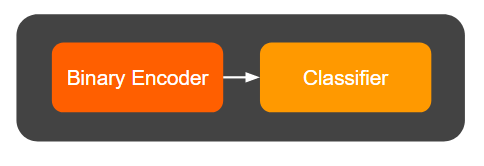
We can now chain the BinaryEncoder with our RandomForestClassifier inside a pipeline:
pipe = Pipeline(
    steps=[
        ('binary_encoder', BinaryEncoder(n=7)),
        ('classifier', RandomForestClassifier(n_estimators=3, random_state=7))
    ]
)
Our pipeline now looks like this:
pipe.fit(X_train, y_train)
y_pred = pipe.predict(X_test)
accuracy_score(y_test, y_pred)
0.9
We managed to boost our accuracy to 90%! The classifier identified X₆ (right most binary digit) as the most important feature, with ~80% importance.
10. Training Attempt #3 - Adding Feature Selection
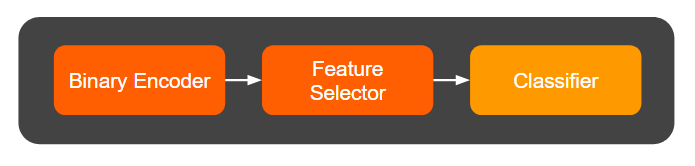
Feature selection removes noisy irrelevant features. We’ll use SelectFdr with chi2 to automatically keep only statistically significant features:
pipe = Pipeline(
    steps=[
        ('binary_encoder', BinaryEncoder(n=8)),
        ('feature_selector', SelectFdr(chi2, alpha=0.01)),
        ('classifier', RandomForestClassifier(n_estimators=3, random_state=7))
    ]
)
Our updated pipeline:
pipe.fit(X_train, y_train)
y_pred = pipe.predict(X_test)
accuracy_score(y_test, y_pred)
1.0
Look! We managed to boost our accuracy to 100%! The feature selection correctly identified X₆ as the only relevant feature, discarding all noise.
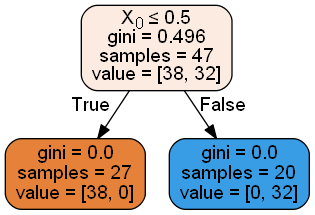
All of the trees now only consider one feature and the irrelevant features are ignored!
11. Serializing our model
import pickle

with open('classifier.pkl', 'wb') as f:
    pickle.dump(pipe, f)
12. Writing the isEven() function, using our model
def isEven(x):
    with open('classifier.pkl', 'rb') as f:
        pipe = pickle.load(f)
    return pipe.predict(np.array([[x]]))[0] == 'Even'
Let’s try our function on some unseen numbers!
for i in [103, 104, 180, 193]:
    print("isEven({}) = {}".format(i, isEven(i)))
isEven(103) = False
isEven(104) = True
isEven(180) = True
isEven(193) = False
Conclusion
Congratulations! You have now (foolishly) solved the simple problem of classifying a number as even or odd, by applying machine learning!
Throughout the tutorial, you have learned:
- how machine learning differs from traditional programming
- how to build and evaluate a machine learning model
- how to build a machine learning pipeline
- the concepts of feature engineering and feature selection
The code and Jupyter notebook for this tutorial can be found here.
I hope you learned a thing or two from this tutorial, or at least enjoyed it. Stay tuned for more content on programming!